
The stock count your staff actually enjoy. Count every bottle by area on a phone, order from one clean screen, and know exactly where the missing bottles went. Built for bars, lounges and restaurants.
Founding pilot · free setup · syncs with filo.
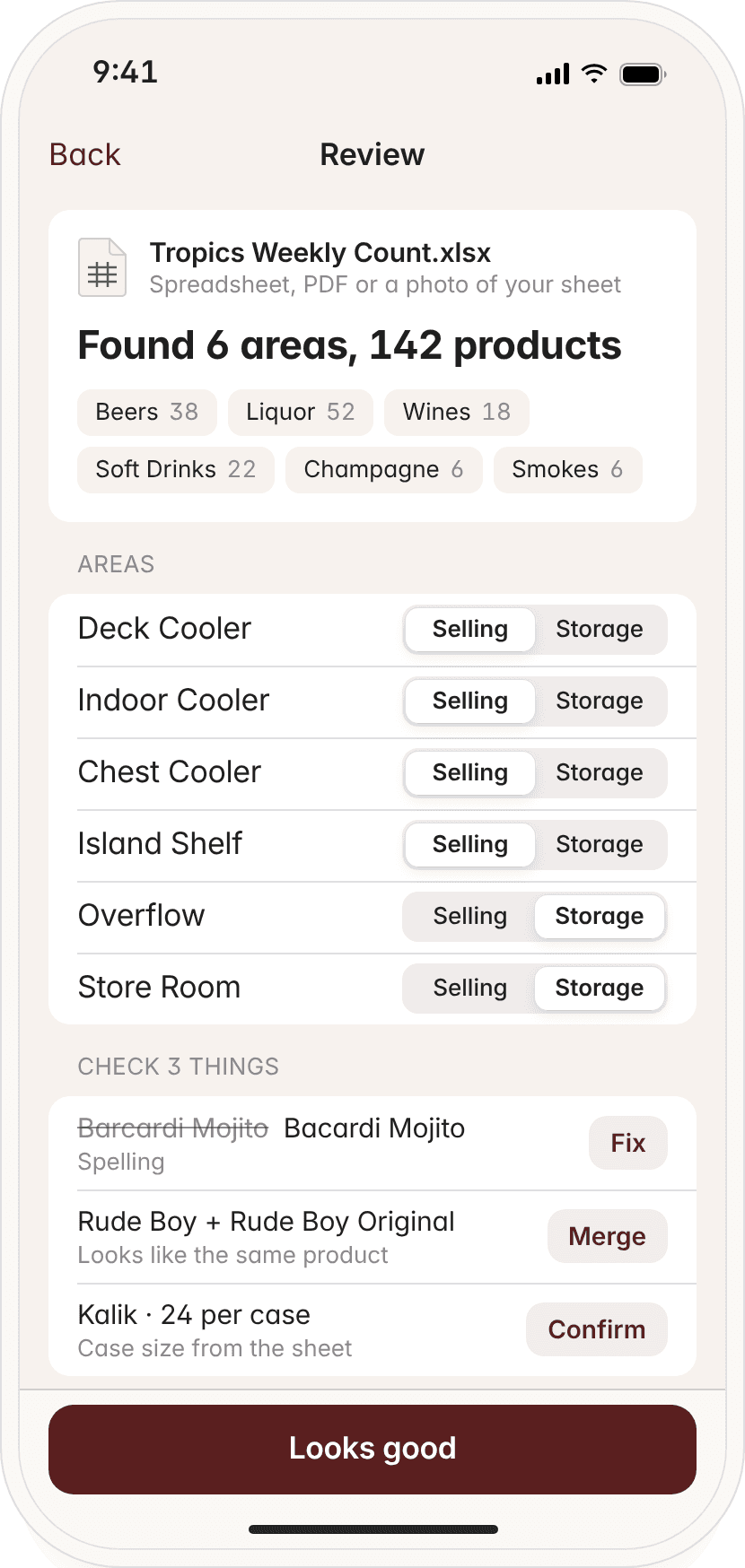
- Deck Cooler
- Indoor Cooler
- Chest Cooler
- Island Shelf
- Overflow
- Store Room
- Back Bar
- Walk-in
- Wine Wall
- Pool Bar
- Kitchen Dry Store
- Liquor Cage
Try it right here
No clipboards, no squinting at spreadsheets. Slide to the liquor line, tap cases and loose bottles, and watch each area tick off. Go on, have a go.
Hennessy V.S.
Cognac · 750 ml · Island Shelf
0.34bottle
8.6 oz · 255 ml
Line at 26% of the height holds 34% of the liquor. The neck narrows, so height isn't volume. konto. uses the bottle's shape.
Full bottles
Total 3.34 bottles
Kalik
Beer · 24 per case · Overflow
Cases
Loose
Total on hand
33 bottles
Sunday count
0 of 6 areas done
Tap an area to check it off.
Interactive demo with sample products. Not real stock data.
How it works
01
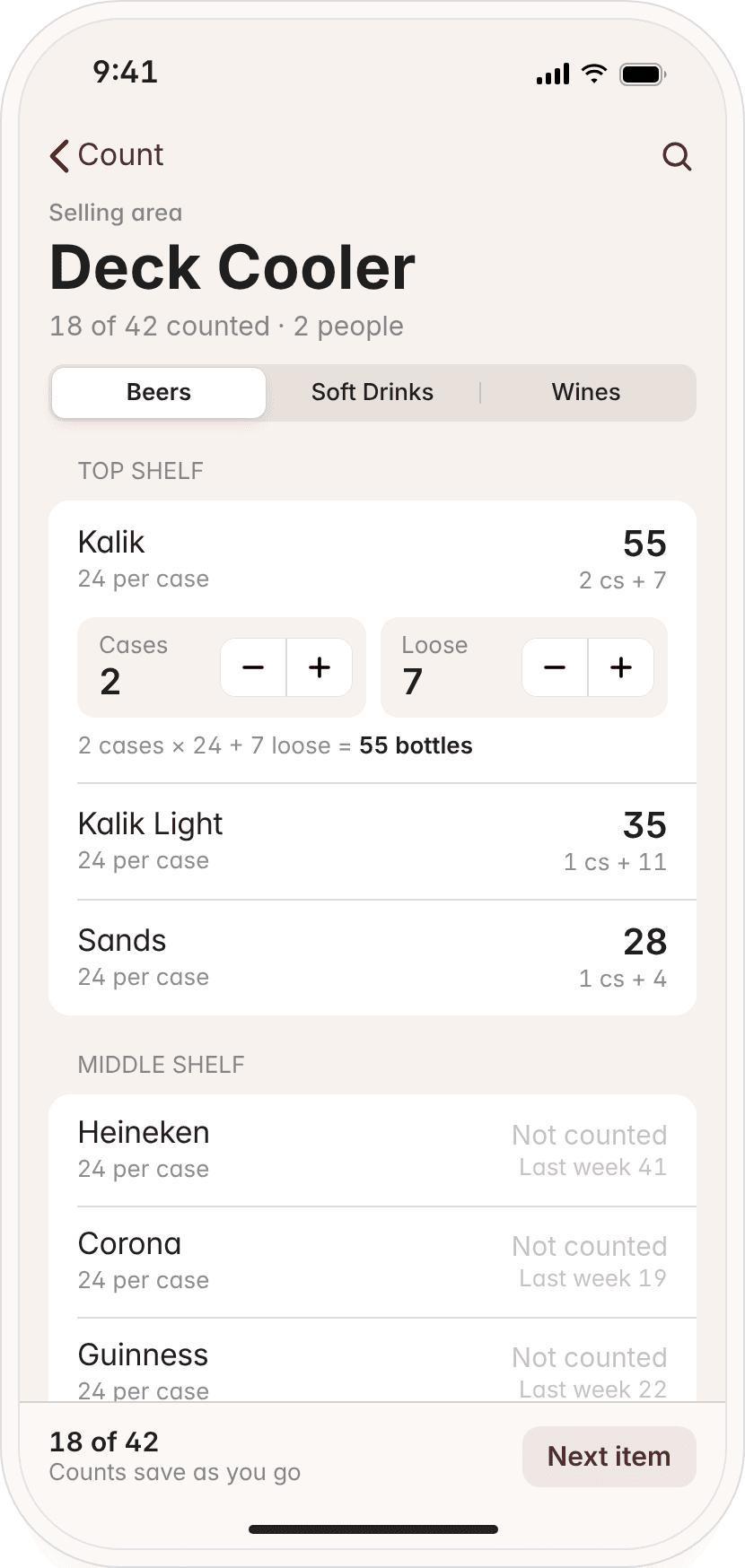
Count by area.
Walk the bar the way it's laid out: Deck Cooler, Island Shelf, Overflow. Tap cases and loose bottles, slide the open bottle to its line, done.
02
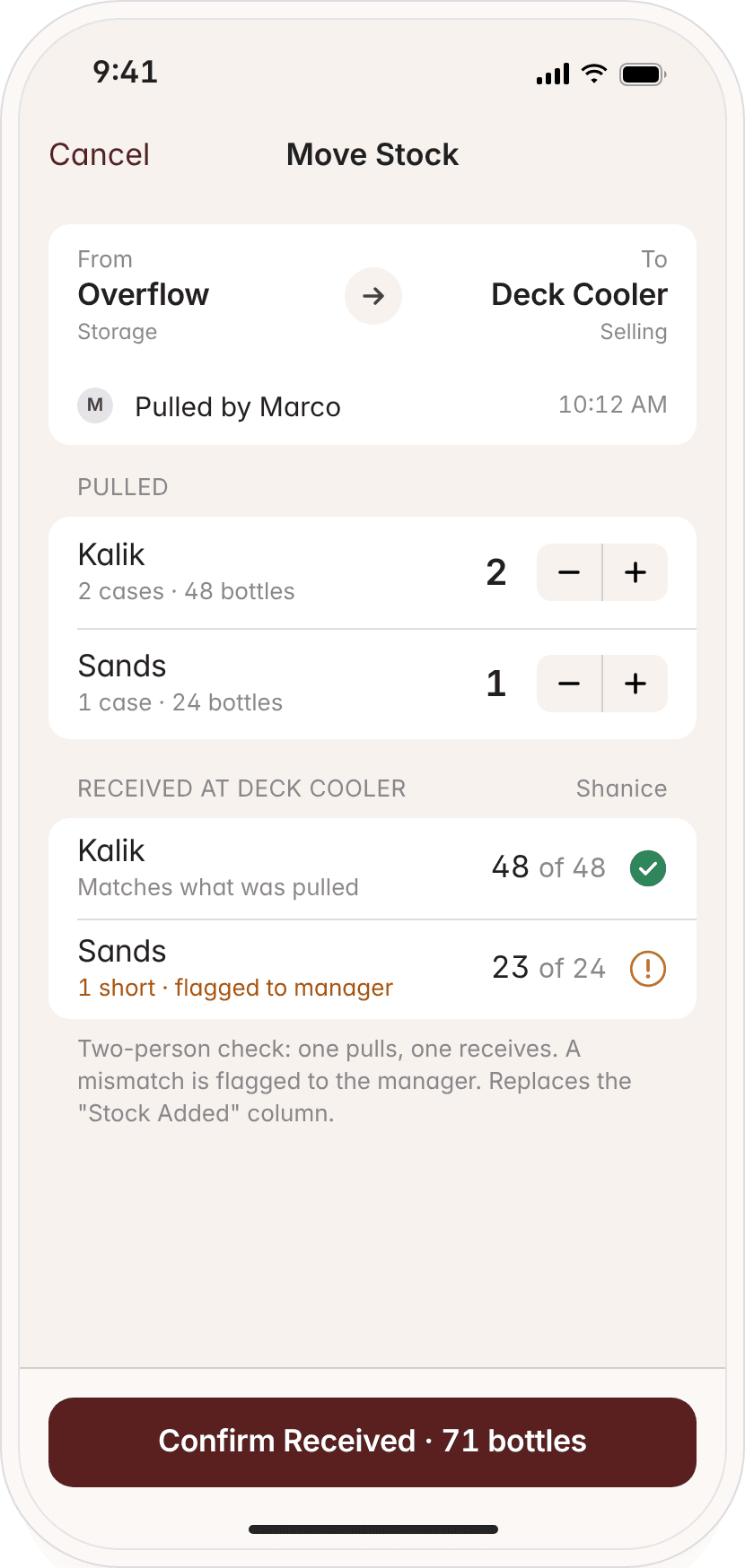
Every move, recorded.
When stock leaves storage for a cooler, one person pulls it and another receives it. If the numbers don't match, the manager is told right away.
03
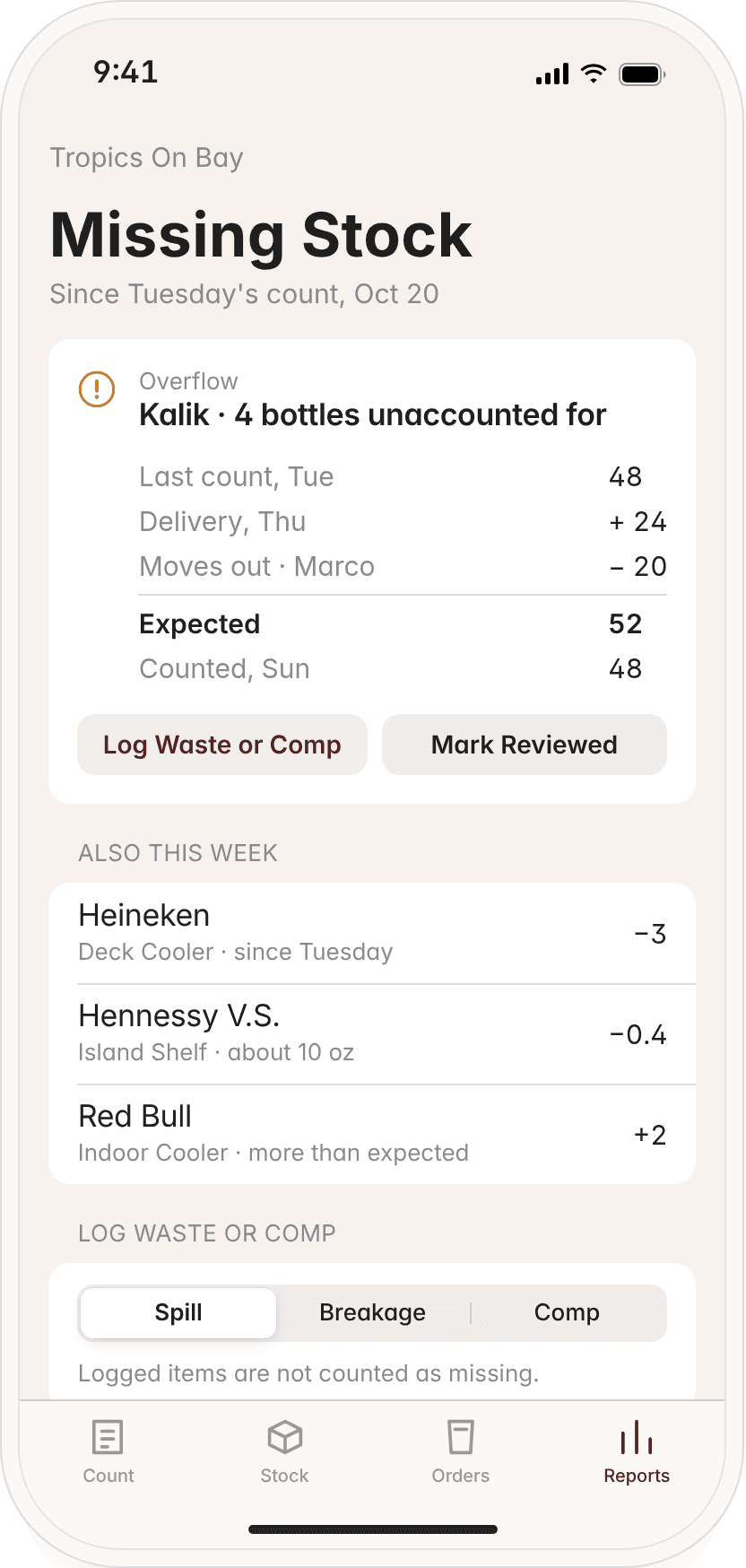
Missing stock, found.
konto. compares what should be there with what was counted, so a gap shows up the same week, not at year end.
04
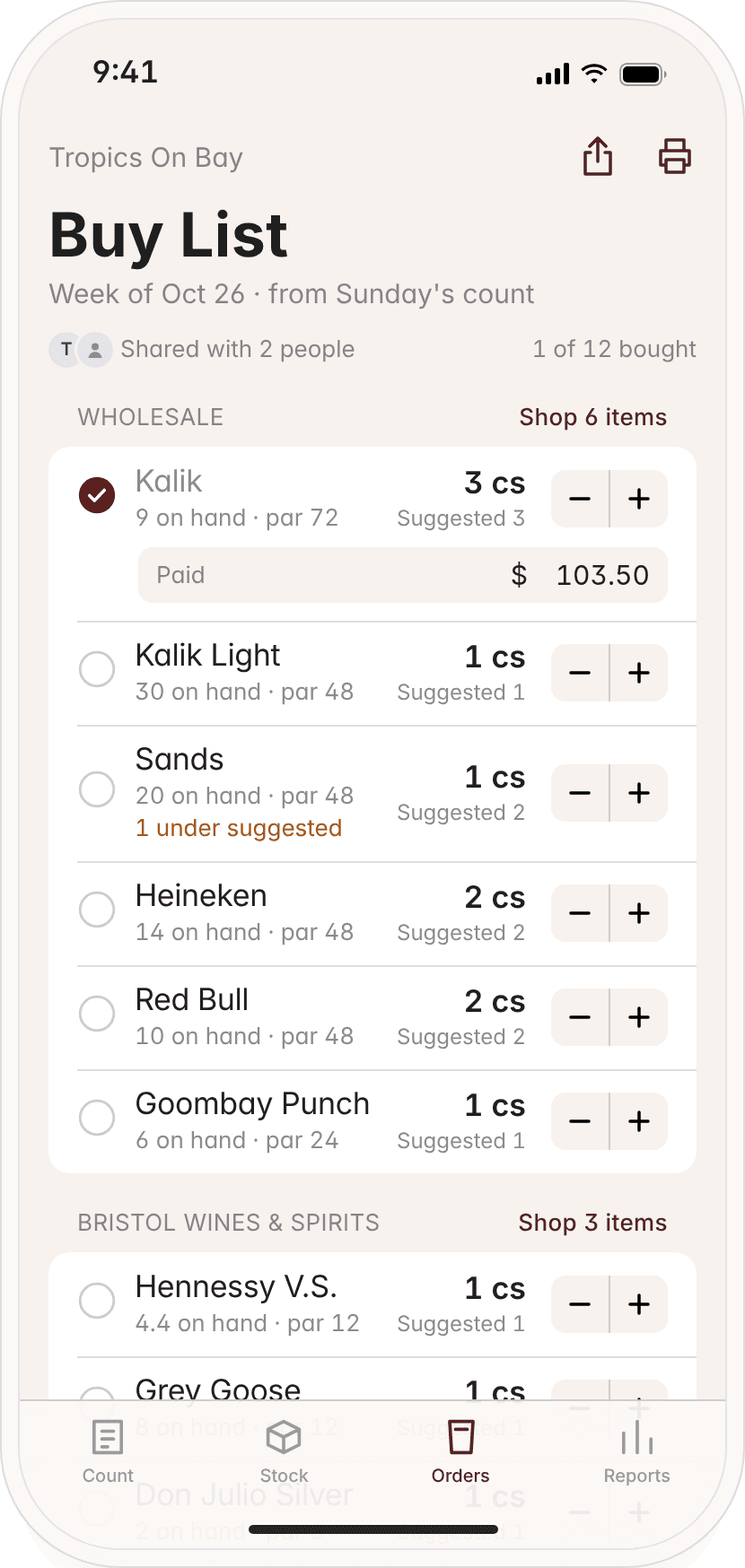
The buy list writes itself.
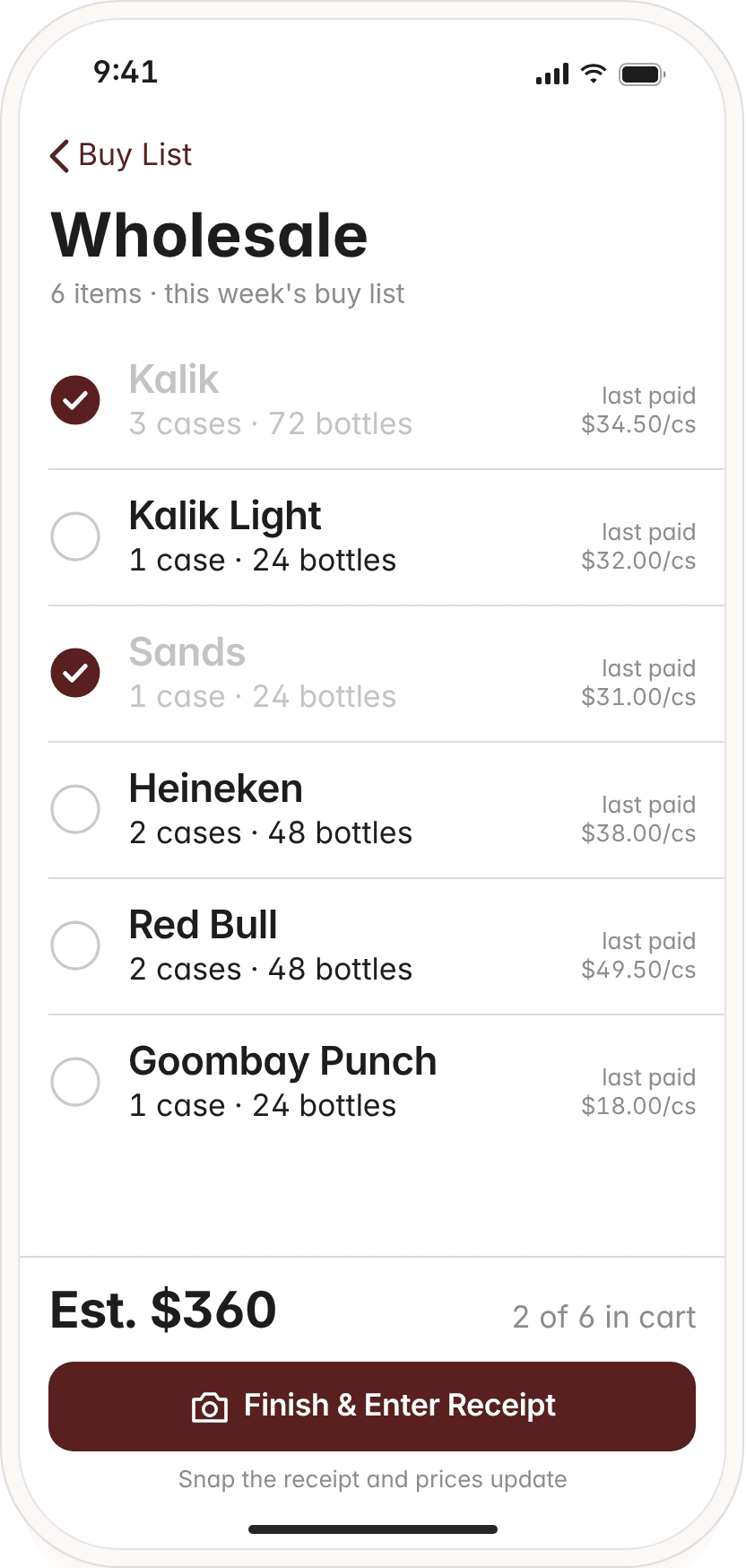
After the count, konto. knows what's low against your par levels and builds the list. Take it to the store, or print it for the supplier.
The back office
The moment the count is done, the whole week's order is waiting on your computer.
Par, suggested, buying. One row.
Every product shows what's on hand in each area, your par, what konto. suggests and what you're buying.
Grouped by supplier.
See the running cost per supplier before you place the order.
Print it or send it to a phone.
A clean buy list for the supplier, or a shopping list for whoever goes to the store.
Catch missing stock
Every delivery, every move and every count is recorded, so konto. knows what should be on the shelf. When the count comes up short, you see exactly where, when and who handled it last.
- Expected vs counted, per area
- Pulled by and received by
- Waste, spills and comps logged
- Flags mismatches the same week
Overflow · since Tuesday
Kalik
- Last count, Tue
- 48
- Delivery, Thu
- + 24
- Moves out · Marco
- − 20
- Expected
- –
- Counted, Sun
- –
Example from the konto. demo, with sample data.
Everything you need
Built for the way bars, lounges and restaurants actually run, from the Sunday count to Monday's order.
Your bar, your areas
Set up areas exactly how your place is laid out, marked as selling or storage.
Set up from your sheet
Start from the spreadsheet you already use, or a photo of your stock list.
Shopping list and buy list
A store shopping mode on the phone and a printable buy list for suppliers.
Works offline
Keep counting in the walk-in or the back store room with no signal. It syncs when you're back.
Staff count, not costs
Staff can count and move stock without seeing what you pay for it.
Lightspeed sales syncComing soon
Compare what was sold with what left the shelf.
Better together
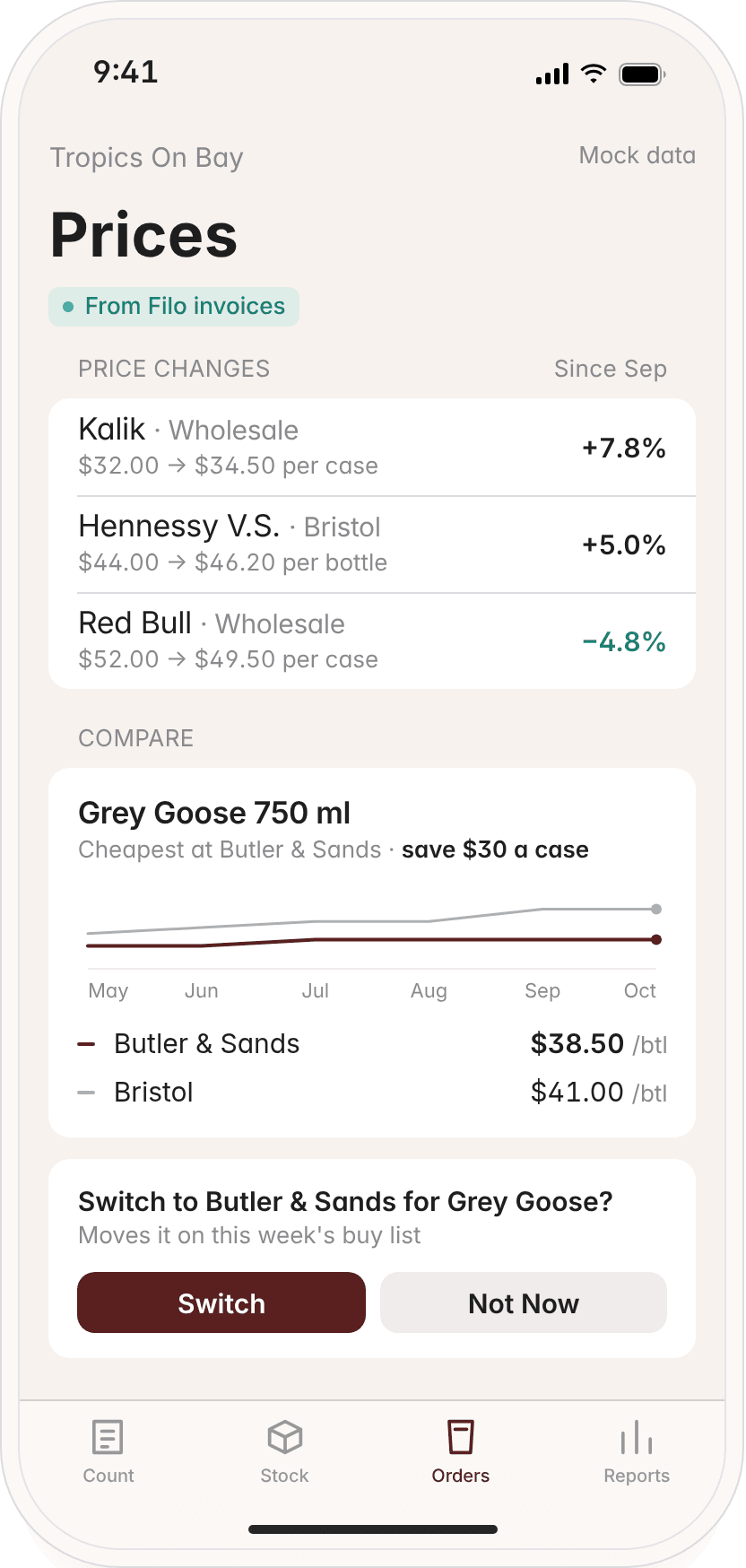
Your stock and your books, finally talking. konto. syncs with Filo, the bookkeeper for Bahamian businesses, so the prices on your invoices flow straight into your orders.
Supplier prices from your invoices
Filo already reads your supplier invoices. konto. uses those prices, so costs stay current without typing.
Price increase alerts
When a supplier raises a price, you hear about it before it eats your margin.
Cheapest supplier, at a glance
See who sells each product for less when you build the order.
Early access
We're opening konto. to a small group of bars, lounges and restaurants first. Founding pilot members get free setup, and we'll build your areas and products with you.